
Ready to move fast and keep your focus on sales, not code? You’ll find a clear path here. This platform was built to help creators bundle offers, split payments, and track partners without fuss.
Sign up is frictionless: a passwordless flow uses a 6‑digit email code so you can reach your dashboard in seconds. From Home to Vault, Funnels, and Marketplace, each area is set up to support growth.
Connect Stripe in Settings > Payments and payouts become instant. Create an Offer, add a delivery URL and pricing, then publish a funnel that gives you a single checkout link to share.
In this step you’ll see why many creators prefer this model: automation for partner management, clear tracking for sales, and simple splits that keep cash flow predictable.
Key Takeaways
- OfferLab simplifies partner management and payment splits.
- The dashboard centralizes Funnels, Vault, Marketplace, and insights.
- Sign-up uses a secure, passwordless email code for quick access.
- Connect Stripe to enable instant payouts on every sale.
- Publish a funnel and get a single checkout link for easy promotion.
Why OfferLab Is Your Fastest Path to Launch in Today’s AI-Powered Market
This platform turns partnership logistics into an automated workflow that scales. OfferLab was designed to stop you from wrestling with integrations and spreadsheets. It automates tracking, profit splits, and partner onboarding so you can sell more and stress less.
Russell Brunson’s vision: collaboration without tech headaches
Russell Brunson aimed for simple collaboration. The system helps creators build funnels fast, invite partners, and split revenue in real time. That lowers the bar for anyone entering digital business.
Using OfferLab to build, grow, and earn online—what’s new now
The marketplace lets users find complementary offers, request collabs, and co-sell inside shared funnels. You can bundle courses, templates, and products into modern, solution-focused offers that boost conversion and sales.
| Feature | Benefit | Who it helps |
|---|---|---|
| Automated profit splits | Faster payouts, fewer errors | Creators, partners |
| Marketplace discovery | Easier collabs and co-selling | Creators, affiliates |
| Unified funnels | Simpler checkout and conversion | Course creators, product sellers |
What You’ll Need Before You Start
Get these basics lined up first so the setup step goes smoothly and without delays.

Your product idea, price, and fulfillment link
Have a clear product concept ready — an ebook, course, or template. Pick a sensible price and write short, benefit-focused details that answer common questions buyers may have.
Prepare a direct Delivery URL (Google Drive, course portal link) so fulfillment is instant after checkout. This reduces support tickets and keeps customers happy.
Free account, working email, and Stripe ready
Create your free account with your name and a working email. OfferLab uses passwordless sign-in via a 6‑digit security code sent to your inbox.
Connect Stripe in Settings > Payments so payouts hit your account instantly after each sale.
“Line these items up before you log in and you’ll move from idea to live offer much faster.”
- Gather brand images and short descriptions for faster Vault setup.
- Capture product details in one document for quick copying during setup.
- Keep a simple checklist: product, price, fulfillment link, email, Stripe.
Tip: Using OfferLab is the newest, best way to build, grow, and earn online — check out the platform and get started quickly.
Set Up Your Free OfferLab Account and Connect Payments
Create a free account, confirm your email with the 6‑digit code, and you’ll have the main controls at your fingertips.
Complete setup in minutes by entering the code sent to your inbox. This passwordless flow keeps sign‑in simple and secure so you can focus on selling.
Passwordless sign-up, 6‑digit security code, and Stripe connection
Sign up with your name and email, then enter the 6‑digit security code to finish the setup step. No monthly fees—it’s free to join the platform.
Head to Profile > Settings > Payments and click Connect Stripe. Follow the prompts so payments and payouts are routed instantly on every sale.
Tour the dashboard: Home, Sell, Vault, Funnels, Marketplace, Insights
From your dashboard you’ll see Home, Sell, Vault, Funnels, Marketplace, Messages, Insights, and Profile. Home shows top‑level stats and quick links.
Use the Vault to add products and configure each offer, then build funnels and copy your live checkout link for sharing. Marketplace helps you find partners and coordinate offers.
- Keep your email current so the code arrives reliably.
- Connect Stripe early so payments work automatically.
- Document this step so team members can repeat the process.
Create Your First Offer in the Vault
Open Sell > Vault and click “Create offer” to begin naming, pricing, and linking delivery in minutes.
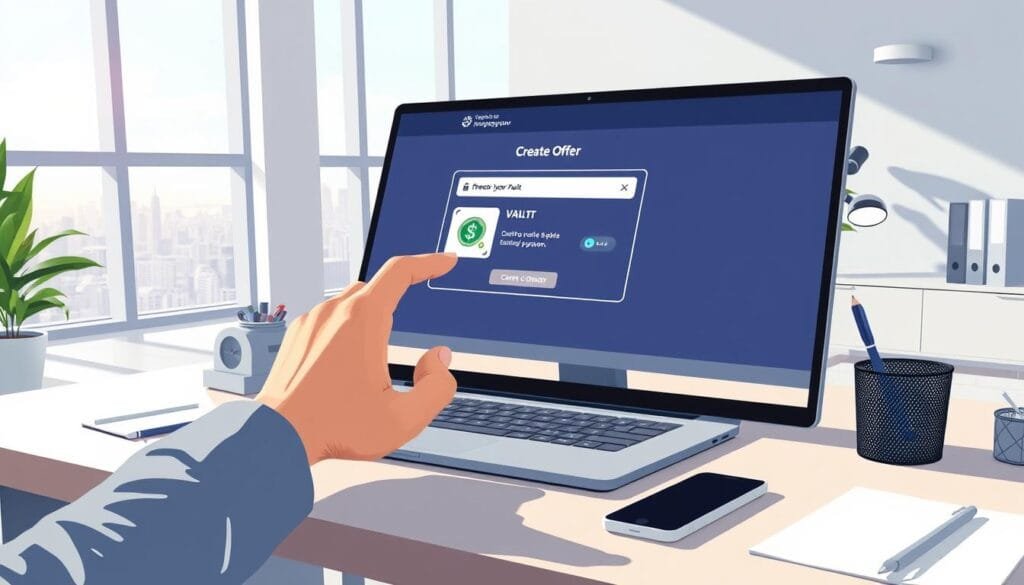
The wizard guides you: choose type (select Digital), add a product and paste the exact Delivery URL for instant fulfillment, then set simple pricing (for example, $47) and create.
Offer vs. Product: naming, fulfillment, and status
Keep the offer name customer-facing and distinct from the underlying product name. That separation makes updates easy and keeps your funnels tidy.
After creation, visit the Offer Dashboard to confirm details, set a default commission for partners, and toggle status between Draft and Published.
Importing from other platforms
If you sell elsewhere, import products from ClickFunnels or Shopify to unify checkout and speed creation. Imported items flow into the Offer Library for funnel use.
- Set clear pricing and match perceived value.
- Paste exact fulfillment links to reduce support tickets.
- Prepare descriptions and assets before creation.
| Step | Action | Benefit |
|---|---|---|
| Create offer | Name, type, Delivery URL | Instant fulfillment, fewer tickets |
| Set pricing | Simple price (example $47) | Clear checkout, better conversions |
| Manage | Dashboard: commission, status | Control partner payouts and publishing |
Find Partners in the Marketplace and Request to Collaborate
Browse the Marketplace to find creators whose products naturally fit your audience. This is where you can match offers, compare pricing, and see delivery approaches before you reach out.
Click any listing, then hit “Promote this offer.” Use Request to collab to send a short, friendly intro that explains your funnel plan and traffic strategy.
Once the creator approves, their offers appear in your Offer Library ready for upsells, order bumps, or bonuses. Messages keeps coordination simple — share assets, timing, and copy so both sides are aligned before you share a public link.
Quick collaboration checklist
- Find creators whose offers align with your audience and funnel goals.
- Review positioning, pricing, and delivery so items pair naturally with your product.
- Send a concise collab request explaining placement, traffic, and launch timing.
- Use Messages to finalize assets, then add approved offers into your funnel.
- Start small, validate conversions, and scale trusted partnerships over time.
“OfferLab is built for collaboration in today’s AI environment; Russell Brunson designed it so creators can work together without tech friction.”
Build a Collaborative Funnel That Converts
Build a customer journey that begins with a strong primary offer and leads to smart upsells and order bumps. This keeps the experience simple and raises average order value.
Primary offer, upsells, and order bumps from the Offer Library
In Sell > Funnels click “Create new funnel.” Add your primary offer, then pick partner items from the library as upsells or bumps.
Set bundle pricing, commission splits, and publish your funnel
Set a bundle price that rewards buyers while protecting margins. Define commission splits (for example, 50/50); the system calculates and routes payouts automatically.
Share a single checkout link in emails, social, or your site
Click Publish to generate one unique link. Copy that link and share across email, social, or web pages for clean tracking and quick conversions.
- Start: pick a strong primary offer.
- Arrange: use like clickfunnels logic for sequence.
- Set: bundle price and clear commission rules.
- Publish: preview flow, then share the checkout link.
“Choose clarity over complexity — a focused stack converts better and keeps partners happy.”
| Action | Why it matters | Result |
|---|---|---|
| Select primary offer | Anchors buyer decision | Higher conversion |
| Add upsells/order bumps | Increases average order value | More revenue per buyer |
| Set commission split | Ensures fair payouts | Automated partner earnings |
Payments, Payouts, and Fulfillment on Autopilot
A completed checkout triggers immediate processing, automatic delivery, and live revenue splits.
Automated processing, product delivery, and real-time splits
OfferLab processes payments the moment a sale clears, then delivers linked products instantly. Partners receive their share in real time based on your preset commission split.
This step removes manual delivery and reduces support work so you can focus on growth.
Order tracking inside Sell > Orders and payout timing via Stripe
View every order under Sell > Orders for clean tracking and quick reconciliation. Payouts go instant to connected Stripe accounts, minus a small, transparent transaction fee. There is no monthly subscription.
- Automated checkout and fulfillment so customers get product access fast.
- Real-time splits route payouts to each partner at sale completion.
- The dashboard gives clear order flow and helps protect performance during promos.
| Item | Where to view | Benefit |
|---|---|---|
| Order record | Sell > Orders | Simple tracking and reconciliation |
| Payout timing | Stripe connection | Instant partner payouts |
| Fulfillment links | Offer settings | Reliable product delivery |
“OfferLab is the newest, best way to automate collaboration and earnings.”
Measure Performance and Optimize for More Sales
Good tracking turns guesses into decisions that lift conversion and earnings. Use the Insights area as your control center. It surfaces EPC, conversion rates, and revenue trends so you can see which funnels and products perform best.
Use Insights for EPC, conversion rates, and revenue trends
Head to Insights for analytics that show EPC, conversion rates, earnings, pending amounts, available balances, and commission transactions. Filter by date ranges and compare periods using the dashboard filters.
Iterate your funnel: pricing tests, upsells, and offer positioning
Start with small pricing tests to balance volume and margin. Move upsells earlier or later based on attach rates and simplify copy if drop-offs spike at key steps.
- Treat optimization as ongoing: offerlab works best when you review performance weekly.
- Track commissions and payouts alongside sales so economics stay attractive to partners.
- Share wins with collaborators so users see data and next steps that improve alignment.
- Keep a testing log of hypotheses, changes, and results so you learn faster over time.
- Watch product-level analytics — some products shine as bonuses rather than standalone offers.
“Make tracking your final step in every campaign cycle: measure, adjust, and relaunch with confidence.”
For a deeper tour of the dashboard and practical notes on each step, see how offerlab works.
Tech Stack, Integrations, and Practical Setup Tips
You can preserve your current stack while adding a collaborative layer that automates commissions, routing, and reporting.
OfferLab works alongside platforms like ClickFunnels, GoHighLevel, and Shopify so your pages keep selling while payouts and tracking run in the background.
Use existing pages and point buttons at checkout
Keep your sales pages and designs. Replace the buy button URL with your OfferLab checkout link and the funnel will capture orders, split revenue, and record tracking data.
- Keep the current stack: platforms continue serving pages while OfferLab routes commissions.
- Centralize tracking: use the dashboard to reconcile sales and partner payouts.
- Share one link: use the same checkout link across email, social, and partner sites for consistent data.
- Templatize updates: standardize button changes and UTM schemes for fast setup.
If performance dips, compare funnel metrics in OfferLab and your native platform to find bottlenecks. Document where the checkout link lives so creators stay aligned and support load stays low.
OfferLab is the newest, best way to build, grow, and earn—by Russell Brunson.
Conclusion
, Complete your funnel, then focus on traffic and pricing while payouts handle themselves.
You can join for free; there is no monthly subscription and a small, transparent transaction fee applies per sale. Instant payouts go through Stripe and the system splits commission automatically so partners get paid in real time.
This setup lets you use existing pages, share one checkout link, and keep clear tracking of orders and payments. As you iterate price and funnel details, rely on analytics to raise conversions and average order value.
Using OfferLab is the newest, best way to build, grow, and earn online — try it and scale collaboration without tech headaches: https://cutt.ly/JoinOfferLab.