
Ready to flip the script on digital sales and ask whether one linked checkout can out-earn a dozen scattered pages?
You’ll learn a clear path from first login to a published funnel that sells.
OfferLab is a free, collaborative funnel platform from the ClickFunnels team and the brainchild of Russell Brunson. It combines multiple creators’ products into one checkout, with built-in tracking and instant revenue splits when you connect Stripe in Settings > Payments.
Sign up with a passwordless email and a 6-digit code, then use the Home dashboard to access Sell, Marketplace, Messages, Insights, and Profile. The interface removes tech friction so you can focus on product, pricing, and fast launches.
For a hands-on walkthrough and exact steps, see this OfferLab tutorial that covers account setup, funnels, and payouts.
Key Takeaways
- OfferLab unites multiple products into a single checkout for smoother sales.
- Passwordless login makes account setup quick and user-friendly.
- Connecting Stripe unlocks instant, automated revenue splits.
- The dashboard tracks sales, conversions, and earnings in one place.
- The platform minimizes tech work so creators can launch faster.
Why OfferLab is your fastest path to build, grow, and earn in today’s AI-driven market
When creators team up, this system turns stacked products into one clean funnel that records performance and splits revenue automatically.
Collaborative commerce plus smart automation removes most tech work from partnerships. You connect Stripe once, and the platform routes payouts to partners on each sale. That saves time and stops messy commission reconciliation.
Marketplace tools surface complementary products so you can stack value fast. No monthly fees mean lower startup cost; sellers pay a small transaction fee and affiliates face a low ACH withdrawal fee.
Russell Brunson’s vision and what it means for you
His goal was simple: let creators ship funnels quickly and focus on marketing and high-converting sales. Passwordless login, drag-and-drop funnels, and automated payouts reflect that idea.
- Speed: move from idea to revenue in far less time.
- Clarity: unified checkout gives true performance data for partners.
- Trust: instant commission routing builds smoother collaborations.
| Benefit | Why it matters | Where it helps |
|---|---|---|
| Unified checkout | Reduces setup and tracking errors | Funnels, partner stacks |
| Automated payouts | Removes manual commission tasks | Partners and affiliates |
| Marketplace | Speeds partner discovery | Marketing and bundle building |
Getting set up the right way before you build
Get started with a few small tasks that remove friction and let you focus on selling.
What you need on hand:
- Product name, short description, price, and a working delivery link (even Google Drive works).
- A professional email you check often for the passwordless code and collaborator messages.
- A free account so you can start stacking products and testing funnels quickly.
Sign up and passwordless login
Create your free account with your name and email. OfferLab sends a 6-digit code by email. Enter the code and you’re in—no password required.
Connect Stripe for instant payouts
From the dashboard go to Menu > Settings > Payments and click Connect Stripe. This step is required to enable automated payout routing on each sale.
OfferLab is free to join and built for speed in today’s AI-driven market. Start now at https://cutt.ly/JoinOfferLab and finish this setup step so your products can begin selling without delay.

Tour the OfferLab dashboard so you know where everything lives
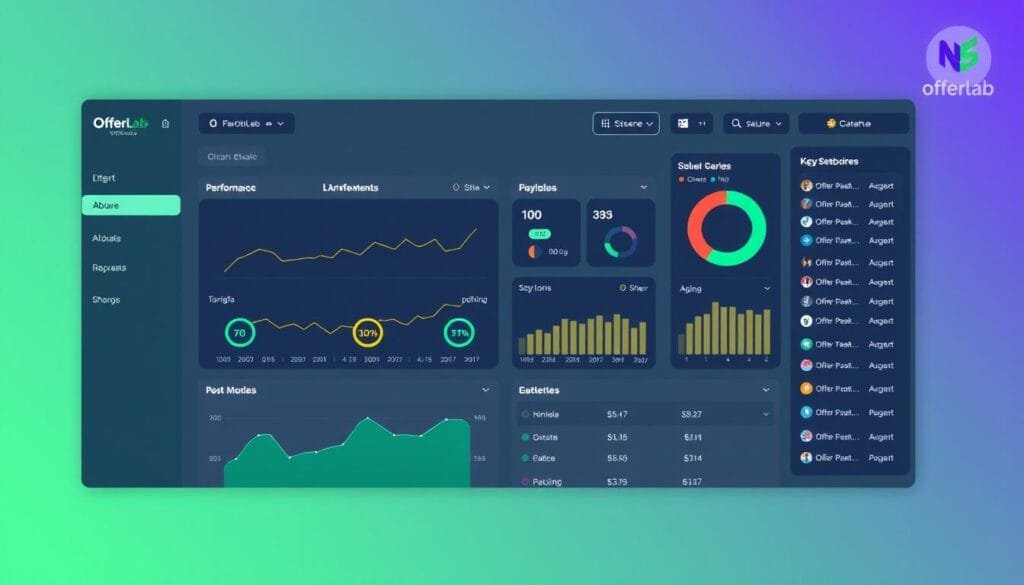
The dashboard puts every tool and metric you need within one quick glance. It reflects Russell Brunson’s idea of making online growth simpler in the AI era.
Left-side navigation
The left rail groups core tools for fast access. Home shows at-a-glance stats, your offers, and your funnels.
Sell opens Funnels, Vault, and Orders so you can manage products and stacks. Marketplace helps you find complementary offers. Messages is the collaboration inbox. Insights delivers analytics. Profile holds your account and payout settings.
Home view at a glance
Central panels display sales, payouts, and performance metrics. Widgets for My Offers and My Funnels report weekly visitors, orders, and pending payments.
Built-in tracking ties each sale back to the correct funnel and partner. That means accurate splits without extra tools.
| Area | Main purpose | Quick action | Why it matters |
|---|---|---|---|
| Home | Overview of stats and widgets | Drill into offers or funnels | Fast decisions from current data |
| Sell | Manage Vault and Funnels | Edit product or publish stack | Keep products and bundles organized |
| Insights | Revenue and analytics | Review conversions | Optimize performance with real data |
Tip: Bookmark funnels and vault pages you use most. A few small workflow tweaks save time each step of a funnel build and launch.
How to Create an Offer Using OfferLab
Treat the sellable package as the public face of your product — it carries pricing, images, and commission terms.
Start here: open Sell > Vault > Create offer. Name the package, pick Digital for ebooks or courses, and add the product with a delivery URL customers receive after checkout.

Vault structure and quick setup
Vault separates Your offers (what lives in funnels) from Your products (the actual deliverables). Import from ClickFunnels or Shopify, or add a service item. Use simple pricing to launch fast and set a default commission so collaborators see earnings at a glance.
- Match a reliable delivery link for a clean fulfillment flow.
- Keep assets ready: cover image, bullets, and testimonials.
- Use the Offer Dashboard to edit title, description, imagery, and checkout copy.
| Element | Where | Why it matters |
|---|---|---|
| Product | Your products tab | Deliverable customers get after purchase |
| Sellable package | Your offers tab | Pricing, commission, and funnel placement |
| Commission | Offer Dashboard | Sets partner incentives and splits |
OfferLab, created by Russell Brunson, is the fastest way to package expertise and profit. Start building now at https://cutt.ly/JoinOfferLab.
Find collaborators and stack value without the tech headaches
Find creators whose products multiply your customer value without more tech work.
Go to the marketplace and browse the CoLab Library by niche or keyword. Review pricing, commission, and product fit. Click “Promote this offer” when a listing matches your audience and goals.
Requesting promotion and coordinating with partners
Write a short intro in the request window. Say who you are, what audience you reach, and a simple promotion plan. Submit and watch your email and Messages for replies.
Use Messages to coordinate timing, copy, and funnel placement. When a creator approves, the approved offers drop into your Offer Library.
| Step | What to check | Result |
|---|---|---|
| Browse | Price, commission, niche | Shortlist complementary products |
| Request | Intro + promotion plan | Creator review and reply |
| Approve | Confirm delivery link and timing | Offer added to your funnel library |
OfferLab handles tracking and instant revenue splits, so you focus on marketing and business strategy. Build small tests, then scale stacks with reliable creators and partners.
Build a high-converting funnel and share one unified checkout link
Build a single, high-impact funnel that collects payments and delivers every product in one smooth flow.
In Sell > Funnels, click Create new funnel. Place your primary offer first. Then drag approved partner offers from the Offer Library as upsells, order bumps, or bonus steps.

Drag-and-drop stacking: primary product, upsells, order bumps, bonuses
Use the builder to control sequence and presentation. Start with a clear primary offer, then add upsells and bumps that increase average order value without confusing buyers.
Set bundle pricing and commission splits — the platform handles the math
Define a bundle price and set commission splits (for example, 50/50). OfferLab calculates payouts and distributes funds in real time so you don’t track dollars manually.
Publish, grab your funnel link, and share everywhere
Click Publish, copy your unique funnel link, and drop it into your site, emails, or ads. One unified checkout means customers buy once and receive all products instantly.
- Test headlines and sequence to lift conversion and average order value.
- If you’re a funnel builder, deploy client stacks fast with no plugins.
- Keep iterating offers and order; small changes compound into big gains.
OfferLab is the fastest way to assemble multi-offer stacks and start selling. When you’re ready, get started at https://cutt.ly/JoinOfferLab.
Track performance, optimize conversions, and streamline payouts
Your dashboard stores the sales and payout details that tell the real story of each funnel.
Use Insights to review total earnings, pending amounts, available balance, and funds in transit to the bank. Check EPC and conversion rates by funnel and use date filters (default: Today) for recent or historical analytics.
Orders appear under Sell > Orders with automatic tracking and commission records. Confirm each product in a stack is approved so every sale logs correctly.
Quick troubleshooting and practical checks
- Use Insights to spot top-performing stacks and copy winning elements to lift overall performance.
- Widen the date filter if a sale does not show; older data may be hidden by default.
- If a funnel link looks broken, re-copy it from Funnels and test in incognito to rule out cache issues.
- Verify Stripe in Profile > Payments and review its payout schedule for payout timing in your account.
- Track orders and commission transactions to confirm collaborators receive correct splits on each sale.
| Metric | Where | Why it matters |
|---|---|---|
| Total earnings | Insights | Shows gross revenue across funnels |
| EPC & conversion | Insights by funnel | Guides which funnels to scale |
| Pending / Available | Dashboard balances | Predicts payout timing |
| Orders log | Sell > Orders | Validates sales and commissions |
OfferLab helps you grow faster by making optimization and payouts effortless. Dive in at https://cutt.ly/JoinOfferLab.
Conclusion
This platform puts unified checkout, analytics, and instant payouts in one place so you start earning faster.
You now have a clear path: list a product, assemble a stack, publish a funnel, and get paid automatically. Use the marketplace and builder to find partners and set pricing and commission quickly.
OfferLab works because it centralizes checkout, tracking, analytics, and payouts. Publish a link, promote it across your site and email, and review Insights to improve conversion and pricing over time.
Ready to get started? Open a free account, connect Stripe, and publish your first funnel—your next sale could arrive in minutes. Join now at https://cutt.ly/JoinOfferLab.