
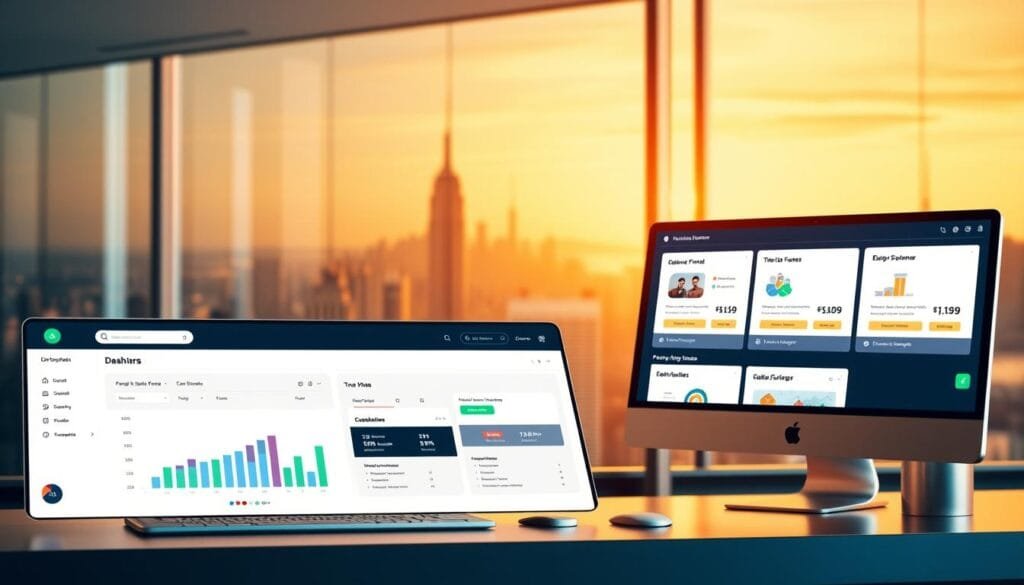
Curious how modern creators cut launch time and split revenue instantly without messy tech?
You’ll discover a friendly, practical path to set up a conversion-focused sales funnel using OfferLab. This platform, imagined by Russell Brunson, streamlines collaboration through passwordless signup, an intuitive left-hand dashboard, and instant Stripe-connected payouts.
The system helps you list offers in the Vault, import products from ClickFunnels or Shopify, and stack partner offers as upsells or downsells. You can set bundle pricing, define commission splits, and publish a single checkout link you can share across your site, email, and ads.
Best of all, the platform is free to join and built so collaborators get paid automatically at checkout. Read on to learn exact dashboard steps, funnel builder actions, and optimization tips to grow your digital marketing business today.
Key Takeaways
- You can set up a full conversion-focused funnel using OfferLab’s Vault and funnel builder.
- Passwordless signup and instant Stripe payouts speed collaboration and reduce tech friction.
- Import products, stack partner offers, and publish a single checkout link for easy promotion.
- Use Insights to track EPC, AOV, conversions, and orders for data-driven tweaks.
- The platform offers a free join and automated split payouts when collaborators both have accounts.
Why OfferLab is the smartest way to build, grow, and earn in today’s AI-driven market
Cut friction and scale faster: OfferLab ties offers, partners, and payouts into one smooth flow. You list products in the Vault, connect with creators in the Marketplace, and stack multiple offers into a single, publishable checkout link.
One platform removes the usual tech roadblocks. The left-hand dashboard and drag-and-drop builder let you assemble funnel flows without extra plugins. That means less setup time and fewer integration errors.
- Automated splits: Commissions calculate and pay out via Stripe instantly when a purchase happens.
- Unified checkout: One link tracks every product in the stack and delivers items instantly to buyers.
- Real data: Insights show EPC, AOV, and conversion rates so you can optimize pricing and steps.
You’ll move faster than manual affiliate setups and scale without tech debt. If you want to get started or explore the platform, Explore it here.
Getting started the easy way: free account setup, Stripe payouts, and your dashboard
Getting started is fast: set up your free account, link Stripe, and learn the dashboard.

Create your free OfferLab account in minutes using the passwordless flow. Enter your email, paste the 6‑digit code you receive, and you’re logged in. This keeps login simple and secure for daily use.
Create your free OfferLab account and secure login
You won’t need a password or a credit card to join. Confirm your email with the code. Your account appears instantly in the left-menu so you can start exploring.
Connect Stripe to get paid instantly on every sale
Enable payouts by going to Menu > Settings > Payments > Connect Stripe. Once linked, the system splits and deposits your share on every order so you never chase payments manually.
Tour the Home, Sell, Marketplace, Messages, Insights, and Profile areas
Home shows snapshots: offers, funnels, and revenue. Sell contains Funnels, the Vault, and Orders. Marketplace helps you find partners, while Messages manages collaboration threads.
- Insights tracks conversions, EPC, and AOV.
- Profile stores account and payout settings so your payments land correctly.
You can join OfferLab and use the platform right away. Both collaborators need accounts for accurate tracking and automated payouts. After setup, you’ll be ready to move from getting started to your first funnel in the same session.
From idea to income: create your first offer and product in the Vault
Map your product idea into the Vault and get it ready for checkout quickly. Go to Sell > Vault and click Create offer. Name the offer, choose Digital, then add a product and paste the Delivery URL buyers receive after purchase.
Choose Use simple pricing and set your price to remove friction at checkout. You can also define a default commission for partners so splits are ready when collaborators join.
Manage the new item from its Offer Dashboard. Edit core details, change pricing, update product files, and set Offer Status to Draft or Published. This keeps your account assets organized and ready for the builder and other tools.
Offers vs. products and importing
Remember: offers are the packages you sell; products are the deliverables inside them. In Vault, “Your offers” lists sellable packages and “Your products” shows individual items.
- Import existing products from platforms like ClickFunnels or Shopify.
- Create fresh products when you start from scratch.
- Keep assets in the Vault so you can add offers into funnels fast.
Tip: OfferLab was built to help you grow and earn faster—see how to start at https://cutt.ly/JoinOfferLab.
Collaborate to scale: use the Marketplace to stack complementary offers
Find creators in the Marketplace whose products naturally sit alongside your main offer. The Marketplace helps you search by niche, product type (main, upsell, bonus), or keyword so your customers see logical, valuable add-ons.

Find partners and “Promote this offer”
Click any listing and choose Promote this offer. Send a short Request to collab that explains your plan and mutual benefits.
Request to collab, message creators, and get approvals
Creators get notified and can approve. Once approved, the partner offer appears in your Offer Library so you can add it as an upsell, downsell, or bonus.
- Browse the marketplace to match creators and offers by niche and type.
- Send a friendly collab request that highlights shared audience benefits.
- Use Messages to align on price, sequence, and positioning inside the platform.
- Confirm both you and the offer owners have an account so tracking and automated splits work.
| Step | Action | Expected outcome |
|---|---|---|
| Search | Filter by niche and product type | Find complementary creators and products |
| Request | Click Promote this offer and send message | Creator review and approval |
| Approve | Offer appears in your library | Add as upsell, downsell, or bonus |
| Collaborate | Coordinate in Messages | Aligned pricing and sequence, cleaner checkout |
Tip: You can scale your product mix fast by partnering on offers instead of creating everything yourself. To explore collaboration options and speed up earnings, learn more about collaborating in the.
How to build a sales funnel with OfferLab
Start in Sell > Funnels and click Create new funnel. In the builder, add your primary offer, then pull partner offers from the Offer Library to form each step.
Structure upsells, downsells, and order bumps so customers see logical, high-value choices. Configure each upsell and downsell to raise order value without adding friction.
Set bundle pricing per step and define commission splits (for example, 50/50). The platform handles payout math and sends each product’s Delivery URL on purchase.
Quick checklist
- Open funnels, add primary product, then add partner offers.
- Configure upsell, downsell, and order bump positions.
- Assign pricing and commission percentages for every step.
- Preview delivery URLs, then Publish to create one checkout link.
| Step | Menu | Outcome |
|---|---|---|
| Create funnel | Sell > Funnels | New funnel canvas opens |
| Add offers | Funnel builder > Offer Library | Primary and partner offers set |
| Set pricing & commissions | Offer step settings | Bundle pricing and commission splits saved |
| Publish | Publish | Single checkout link; payments split via Stripe |
Tip: You can edit pricing and steps fast as data comes in. OfferLab is designed to make creating and earning from funnels faster—get started at https://cutt.ly/JoinOfferLab.
Launch and promote: one checkout link, many channels
When you’re ready to launch, one link can deliver your entire checkout experience across channels.
After you publish, go to Sell › Funnels and copy your unique checkout link. That link holds your product, any upsell steps, and the routing for partner payouts.

Grab your unique checkout link from Sell › Funnels
Open the funnel you published and click Copy link. Keep the URL handy so every promotion points to the same checkout path.
Share via your website, email list, social media, and paid ads
Use the link in your website buttons, email campaigns, social posts, and ad creatives. This keeps attribution clean and saves you time managing multiple cart URLs.
Use with your existing funnel builder or HighLevel pages
Point your page buttons to the checkout link. You don’t need to recreate pages on other platforms. This lets your marketing stay consistent while the backend handles commissions and delivery.
- One link everywhere: consistent buyer path for better conversions.
- Works alongside pages: plug the URL into HighLevel or your current builder.
- Faster launches: publish, copy, promote—focus on traffic not tech.
| Action | Where | Result |
|---|---|---|
| Copy checkout link | Sell › Funnels | Single URL with product and upsell flow |
| Paste in channels | Website, email, social, ads | Centralized tracking and consistent UX |
| Integrate on pages | HighLevel or other platforms | Keep existing pages and use partner offers |
Tip: OfferLab helps you grow and earn quickly—when you’re ready, grab your link and promote. Explore at https://cutt.ly/JoinOfferLab.
Track results, automate payouts, and optimize your funnel
Let real data guide the changes that improve conversions and customer value. Start by using Insights and Orders to monitor how each product performs and how customers move through your steps.
Use Insights and Orders for tracking EPC, AOV, conversions, and sales
Insights shows EPC, AOV, and conversion rates so you can spot wins and weak spots fast.
Check Orders to verify every transaction and confirm each customer received the correct product delivery immediately after checkout.
Automated payments and instant revenue splits via Stripe
The system processes payments and uses Stripe to split revenue in real time. That means you get paid automatically and collaborators receive commissions without invoices or manual settlements.
Refine copy, pricing, and steps using iterative testing
Use the platform’s tools to run quick tests. Adjust an upsell, tweak copy, or change pricing, then republish and watch the next round of metrics.
This process speeds decisions and improves the customer experience based on proven data instead of guesswork.
| Metric | Where to check | Why it matters | Action to take |
|---|---|---|---|
| EPC (earnings per click) | Insights | Shows revenue efficiency | Test pricing or offers to raise EPC |
| AOV (average order value) | Insights | Indicates upsell success | Adjust bundles or order bumps |
| Conversion rate | Insights & Orders | Reveals friction points | Refine copy and step order |
| Orders & deliveries | Orders list | Transaction transparency | Confirm delivery URLs and customer email receipts |
Quick checklist: rely on Insights for tracking, review Orders for every sale, let Stripe payouts handle commission splits, and iterate based on data to improve the customer experience.
Conclusion
Use this closing to move from planning to publishing — faster, cleaner, and more automated.
By now you know how OfferLab helps you assemble a single-link checkout, list offers in the Vault, find partners in the Marketplace, and track EPC, AOV, and conversions. This is the best way to speed up your digital marketing process and reduce tech time.
You can free join and connect your account, invite creators, and let Stripe handle instant payouts so partners get paid automatically. Built by Russell Brunson, the platform helps marketers and users move from idea to income without complex setup.
Ready to act? Join OfferLab at https://cutt.ly/JoinOfferLab and publish your first funnel to start earning and optimizing today.